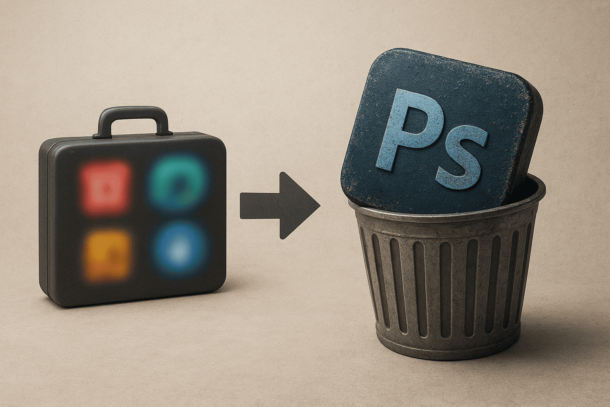
If you’ve ever tried Adobe Photoshop — and then peeked at the price tag — you probably had that exact moment where you asked yourself: “Is there a Photoshop-level tool that won’t make me pull out my wallet?”
Good news: there are plenty of great tools out there that let you edit photos, create graphics, and do real design work — without paying a dime. Whether you’re a beginner content creator, social media manager, or someone who just loves tweaking images, these free alternatives will cover most of what Photoshop does… and sometimes even surprise you.
Let’s get into it.
Content Titles
Why Look for Free Alternatives Anyway?
Before jumping into the list, it helps to understand why free alternatives matter. Adobe Photoshop is undeniably powerful, but:
- It’s a subscription-based service — not ideal if your budget is tight.
- It can be overkill for casual editing or social media graphics.
- The learning curve can feel steep for beginners.
A great free tool gives you:
- Quick access without accounts and subscriptions
- Enough features for most real-world use
- Fast learning with less intimidation
Let’s look at the best solutions out there.
1. GIMP — The Veteran Photoshop Alternative
GIMP (GNU Image Manipulation Program) is probably the most well-known free Photoshop alternative, and with good reason.
It’s open source, fully customizable, and packed with features that photographers and designers use every day.
Why people love it:
- Layers, masks, brushes, filters — all the essentials are here.
- Plugin support extends functionality even further.
- You can run it on Windows, macOS, and Linux.
GIMP won’t surprise you with Photoshop-level polish, but once you get the hang of its interface, it feels familiar enough. It’s especially great for photo retouching and basic graphic design.
Best for: Beginners through advanced users who don’t want to pay.
2. Photopea — Browser-Based Photoshop That Works Everywhere
If you’d rather not install anything, Photopea is your best friend.
Photopea runs entirely in your browser (yes, even on Chrome or Safari), and it supports:
- PSD files (the native Photoshop format)
- Layers, masks, and blend modes
- Smart selection tools and filters
Honestly, it looks and feels a lot like Photoshop — and because of that, people who’ve used Photoshop before pick it up really fast.
The best part? There’s a free version that handles almost everything you need, with only a subtle ad banner if you choose not to subscribe.
Best for: Quick edits and Premiere users who want familiarity without downloads.
3. Krita — Designed for Creatives and Illustrators
Krita began life as a digital painting program, but over the years it has grown into a full-featured image editor.
What sets Krita apart:
- Excellent brush engine and stabilizers
- A friendly workspace for illustrators and concept artists
- A set of animation tools if you want to go beyond still images
While it’s more painting-focused than Photoshop, Krita still handles photo editing tasks very well if you’re willing to explore it.
Best for: Artists, illustrators, and stylized design work.
4. Pixlr — A Simple and Effective Web Editor
Pixlr is another browser-based editor worth your attention, especially if you want something clean and intuitive without a learning curve.
It comes in two versions:
- Pixlr X — Simple and fast for basic editing
- Pixlr E — More advanced tools for deeper edits
Both run directly in your browser, and they feel lighter and faster than many desktop programs.
Best for: Social media content and everyday photo edits.
5. Canva — Best for Templates and Graphic Design
Canva isn’t exactly “like Photoshop,” but it deserves a spot on this list because it solves a huge gap: template-based design.
If you need:
- Instagram posts
- YouTube thumbnails
- Infographics
- Posters and branded graphics
Then Canva will save you hours of work. Its drag-and-drop interface is one of the easiest you’ll ever use, and the free plan comes with tons of templates.
Yes, you’ll need to pay for some premium elements — but you can build professional designs using only free assets.
Best for: Quick creative design, social media visuals.
6. Inkscape — Brilliant for Vector Graphics
If your work leans more toward logos, icons, and scalable designs rather than photo editing, Inkscape deserves attention.
It’s a free vector graphics editor, similar to Adobe Illustrator, and allows:
- Precise shape editing
- Path operations
- Text and layout tools
- SVG export and web-ready assets
Some people pair Inkscape with GIMP — using GIMP for raster photos and Inkscape for vector illustrations.
Best for: Logo design, illustrations, and vector art.
Which One Should You Start With?
Here’s a simple recommendation based on what you do most often:
✔︎ Photopea → Photoshop-like experience without install
✔︎ GIMP → Deep photo editing on your computer
✔︎ Canva → Fast, easy design for social media
✔︎ Pixlr → Quick browser edits on the go
✔︎ Krita → Painting and creative illustration
✔︎ Inkscape → Vector graphics and logo design
No need to commit to one tool forever. Many creators hop between tools depending on the task.
Final Thoughts (No Nonsense)
Free alternatives to Photoshop are no longer “limited options” — they’re real tools that millions use every day. Whether you’re editing photos for your blog, designing graphics for YouTube thumbnails, or handling client work, there’s a tool here that can do the job without charging you a subscription fee.
And the best part?
Most of these tools let you open Photoshop files directly, so you’re not locked into one ecosystem.
Try a few, stick with what feels comfortable, and save money while you create better work.
-
 ViStart: Transform Your Windows Start Menu and Taskbar with Style and Freedom
-
 How to Start Affiliate Marketing With No Experience or Money (Beginner Guide 2026)
-
Understanding Brand Positioning Dimensions
-
Difference Between After Effects and Premiere Pro (2026 Guide for Creators)
-
How to Become a Professional Food Photographer
-
 How to Fix Walmart App ? Complete Step-by-Step Guide for Common Issues