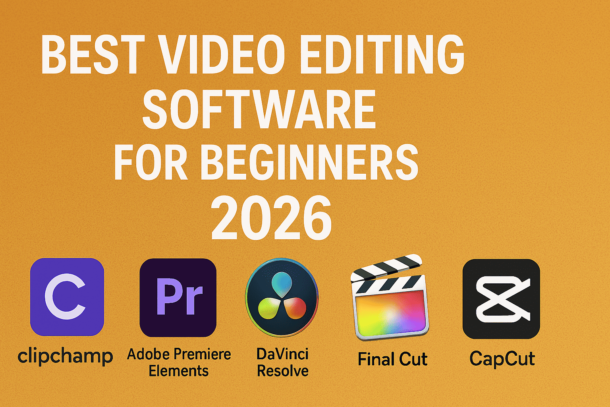
Discover the best video editing software for beginners in 2026, including easy-to-use tools, free and paid options, and tips to choose the right editor for your first videos.
If you’re just getting started with video editing in 2026, first of all — welcome to one of the most exciting creative journeys you can take online. Whether you’re planning to grow a YouTube channel, create reels that pop on social media, or simply edit videos of life’s best moments, the software you choose matters. But with so many options out there, how do you even begin?
Don’t worry — I’ve been in this space for years, trying tools, switching workflows, and watching trends change fast. In this article, I’ll walk you through the best video editing software for beginners in 2026, tell you what makes each one stand out, and help you decide which one fits your goals without overwhelming you.
This isn’t a dry comparison list — it’s a roadmap for someone who’s ready to start editing today and see real results without banging their head against confusing menus.
Content Titles
What Does a Beginner Really Need?
Before we jump into the tools themselves, let’s clear one thing up:
As a beginner, you don’t need every feature under the sun. What you really need is:
- A friendly learning curve
- Tools that help you get stuff done (not just look cool)
- Solid export quality for platforms like YouTube and Instagram
- Templates and simple effects to help your videos feel professional
- A community or tutorials you can follow as you learn
Some software locks powerful features behind a wall of complexity. Others make it too simple without giving you space to grow. What you want is something in the sweet spot, and that’s exactly what this guide highlights.
1. Clipchamp – The Starter Favorite
If you’re brand new to editing, Clipchamp is one of the easiest places to begin. Microsoft owns it now, and they’ve made it incredibly straightforward without stripping out creative control.
You just import your clips, drag them where you want, add music or text, and export. The interface is clean, and most beginners feel comfortable in it within minutes.

Best for:
- Quick edits
- Social media videos
- First-time editors
Why it works:
👉 Drag-and-drop simplicity
👉 Prebuilt templates
👉 Cloud-based (no heavy installs)
🚀 Want your brand or product seen by the right audience?
📈 "Said Media" attracts thousands of targeted visitors every month, all eager for High Quality digital content.
✨ Advertise with us through a direct ad or guest post, and make sure your brand reaches the right people at the right time!
✨ Advertise with a direct ad or guest post and get noticed at the perfect moment!
The only downside is it’s not as powerful as some of the pro tools yet — but remember, you’re just starting. You don’t need all the advanced gear right now.
2. Adobe Premiere Elements – Classic but Smart
Adobe has been in this game forever, and Premiere Elements is their beginner-friendly version of Premiere Pro. It gives you a lot of power without drowning you in menus.
What I love most is its guided edits — step-by-step prompts that help you do cool stuff (like green-screen edits or motion tracking) without guessing what to click next.
Best for:
- Beginners who want room to grow
- Casual YouTube creators
- Projects with more layers
What makes it worth it:
👉 Tons of templates
👉 Easy automation
👉 Great tutorials everywhere
Premiere Elements is a paid tool, but its price is reasonable, and it doesn’t require a subscription like many pro tools do.
3. DaVinci Resolve – The Fast Track to Growth
Now, if you want to seriously level up without paying a subscription, DaVinci Resolve is nuts good. Blackmagic Design packs professional-level features into a free version that’s unmatched.
It can be intimidating at first, but once you get the basics down, there’s nothing you won’t be able to do here — from color correction to advanced audio editing and visual effects.
Best for:
- Beginners aiming to become pros
- Creators who want long-term growth
- Multi-purpose editing with high-end features
What makes it worth the effort:
👉 Industry-standard tools for free
👉 Powerful color grading modules
👉 Fusion visual effects built-in
True, the learning curve is steeper. But consider this: you won’t outgrow Resolve’s free version anytime soon.
4. Final Cut Pro – Best for Mac Users
Final Cut Pro is like DaVinci, but for Mac-first editors who want speed and simplicity in a pro tool. Many popular YouTubers and content creators swear by it.
It’s not free, but the performance is ridiculously smooth on Apple silicon machines, and the magnetic timeline makes editing feel effortless (once you’re familiar with it).
Best for:
- MacBook and iMac users
- Fast editing workflows
- Long-term creators who want pro-level tools without a subscription
What makes it worth it:
👉 Seamless performance
👉 Smooth timeline editing
👉 Great native format support
5. CapCut – The Mobile Powerhouse
Just because you’re starting doesn’t mean you need a laptop right away. CapCut has matured into one of the most powerful mobile editing tools out there — and yes, you can produce content so good people won’t guess it was edited on a phone.
Its effects, animations, and templates are nearly unmatched even compared to desktop software. Super beginner-friendly, and great for TikTok/Instagram content.
Best for:
- Short videos & reels
- Social-first creators
- On-the-go editing
What makes it worth trying:
👉 Free and easy
👉 Tons of export presets
👉 Quick share to social platforms
So Which Should You Pick?
Here’s the honest breakdown:
- Absolute Beginner / Social Content: Clipchamp or CapCut
- Beginner with Growth Plan: Adobe Premiere Elements
- Free but Powerful: DaVinci Resolve
- Mac Pro Workflow: Final Cut Pro
No single tool is perfect for everyone, but all of these are reliable choices that eliminate the biggest barrier: feeling overwhelmed.
Quick Tips to Get Better Faster
- Spend your first hour just learning the interface — don’t rush into serious edits yet.
- Use templates and presets — they make your work look polished in half the time.
- Learn keyboard shortcuts — they shave off hours of editing every week.
- Watch real users on YouTube for real-world workflows — not generic tutorials.
Wrap-Up
Video editing is no longer reserved for pros with giant rigs and expensive software. In 2026, beginners have access to incredibly capable tools that let you go from zero to publish-ready without a massive learning curve.
Whether you want simplicity, power, or mobility, there’s a tool above that matches your path. Pick one, stick with it, and create something you’re proud of.
Happy editing 🎬✨