
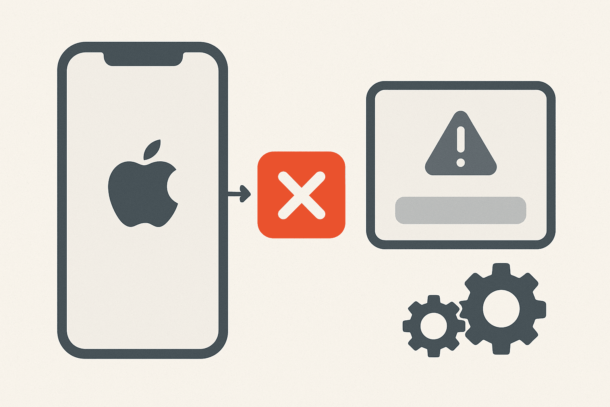
Running into the “App Not Installed” issue on an iPhone can be incredibly frustrating, especially when you’re sure the app should work just fine. You tap Install, wait a few seconds, and then… nothing happens. No clear error, no explanation, just an app that refuses to show up on your home screen.
The good news is that this problem is far more common than you think, and in most cases, it has very simple causes. You don’t need to be a tech expert, and you definitely don’t need to reset your phone right away. Let’s walk through the real reasons this happens and the solutions that actually work.
Headings
Why the “App Not Installed” Problem Happens on iPhone
Most iPhone users assume the issue comes from the App Store itself, but in reality, the problem is usually tied to system restrictions, storage limitations, or compatibility issues. Apple’s ecosystem is strict by design, and sometimes that strictness blocks an app without clearly telling you why.
It could be something as simple as insufficient storage space, an outdated iOS version, or even a temporary glitch in your Apple ID connection. In other cases, the app may no longer support your device model, especially if you’re using an older iPhone.
Check Your Storage Before Anything Else
One of the most overlooked reasons apps fail to install is low storage space. Even if your iPhone shows a bit of free space left, iOS often needs extra room to unpack and install apps properly.
Go to your iPhone storage settings and take a real look at what’s eating space. Old videos, unused apps, cached data, and downloaded files can silently block new installations. Freeing up space and restarting your device alone fixes the problem for many users.
Make Sure Your iPhone Supports the App
Not all apps are built for all iPhones. Some newer apps require recent iOS versions or specific hardware features. If your iPhone is running an older version of iOS, the App Store may still let you tap Install, but the app won’t complete the process.
Updating your iOS to the latest available version for your device can solve this instantly. If your iPhone no longer receives updates, check the app’s compatibility details on the App Store page before trying again.
Restarting Sounds Basic, But It Works
It sounds almost too simple, but restarting your iPhone clears temporary system issues that can interfere with app installations. Background processes, stuck downloads, or memory conflicts often disappear after a clean restart.
Once your phone boots back up, try installing the app again before moving on to more advanced fixes.
Sign Out of Apple ID and Sign Back In
Sometimes the issue isn’t your phone or the app, but your Apple ID session. Authentication problems can silently stop downloads without throwing any obvious error message.
Signing out of your Apple ID and signing back in refreshes your connection with Apple’s servers. This step alone has resolved the “App Not Installed” issue for countless users, especially after iOS updates or password changes.
Check Screen Time and App Restrictions
If you’re using Screen Time, either for yourself or for a child’s device, app installations might be restricted without you realizing it. Certain app categories, age ratings, or content types may be blocked.
Review your Screen Time settings and make sure app installations are allowed. This is especially important if the issue only happens with specific types of apps.
Network Problems Can Break App Installs
Unstable Wi-Fi or restricted networks can interrupt app downloads mid-process. Public Wi-Fi, workplace networks, or slow connections often cause installs to fail silently.
Switching to a stable home Wi-Fi or even using mobile data for a quick test can reveal whether the issue is network-related. Once the app installs successfully, you can switch back to your preferred connection.
When Nothing Works, Reset Settings (Not Data)
If you’ve tried everything and apps still won’t install, resetting your iPhone’s settings can help. This doesn’t delete your data, photos, or apps—it simply resets system preferences like Wi-Fi, notifications, and permissions.
It’s a clean way to fix deeper system conflicts without going as far as a factory reset.
Final Thoughts
The “App Not Installed” problem on iPhone is annoying, but rarely serious. In most cases, it’s caused by storage issues, compatibility limitations, or minor system glitches. By following these simple, proven solutions, you can usually fix the issue in minutes without risking your data.
If the problem keeps happening across multiple apps, it may be time to check for hardware limitations or long-term iOS support for your device. Otherwise, one of these fixes will almost certainly get your apps installing again.





wow your article is simply a masterpiece, i like that, keep it up and will be checking for new update. do you post often? you can check the biggest webdesign freelancer in platform in germany calledThank you for your wonderful post
i enjoy reading your articles, it is simply amazing, you are doing great work, do you post often? i will be checking you out again for your next post. you can check out webdesignagenturnürnberg.de the best webdesign agency in nuremberg Germany
as a professional seo expert in hamburg, i can tell your article is professionally written, i enjoy reading it, keep up the good work, do you post more often ? i am now a follower, you can take a look at my site as the best seo expert in hamburg Thank you